Why Enterprises Choose Meetily
Complete data sovereignty with unlimited scalability
Data Sovereignty
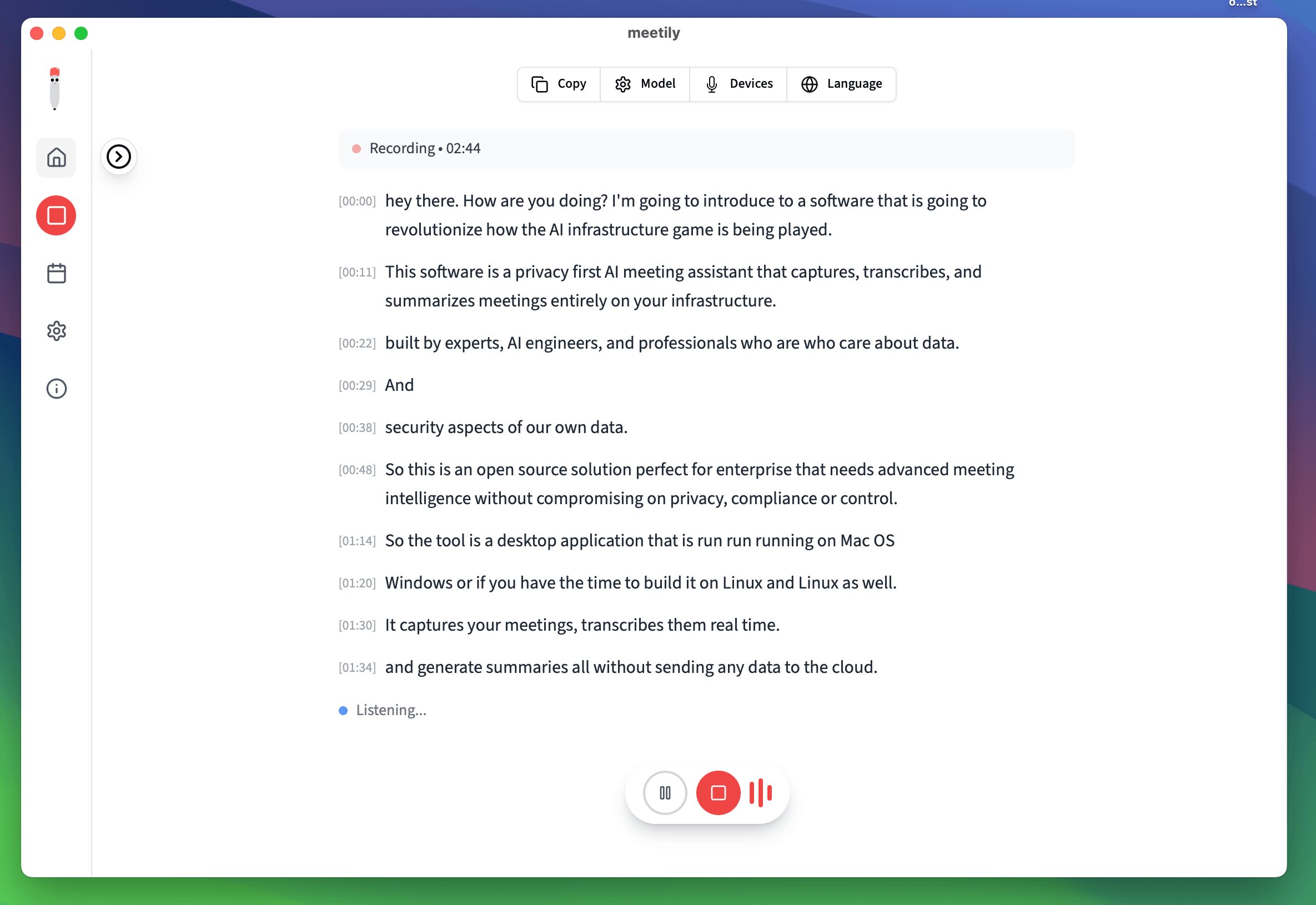
Complete data control with 100% on-premises processing. Meeting data never leaves your infrastructure, ensuring compliance and security.
Cost Efficiency
No per-user licensing fees means unlimited usage after deployment. Significant cost savings compared to cloud-based alternatives.
Compliance Ready
Built-in GDPR, HIPAA compliance through local processing. Satisfy regulatory requirements automatically.
Air-Gapped Ready
Works in disconnected environments with full functionality. Perfect for classified or highly secure environments.
Enterprise Deployment Models
Choose the deployment model that fits your organization
Distributed Desktop Deployment
Install Meetily directly on user workstations for maximum privacy and performance.
Benefits
- • Maximum privacy
- • Best performance
- • Offline capability
- • Individual user control
Considerations
- • Device management needed
- • Individual updates
- • Distributed storage
Virtual Desktop Infrastructure (VDI)
Deploy Meetily within VDI environments for centralized management.
Benefits
- • Centralized management
- • Consistent environment
- • Easy updates
- • Controlled access
Considerations
- • Network dependency
- • Audio latency concerns
- • Resource allocation
Technical Specifications
Hardware and software requirements for enterprise deployment
| Component | Minimum | Recommended | Enterprise |
|---|---|---|---|
| CPU | 4 cores, 2.4GHz | 8 cores, 3.0GHz | 16 cores, 3.2GHz+ |
| RAM | 8GB | 16GB | 32GB+ |
| Storage | 50GB SSD | 200GB SSD | 500GB+ NVMe |
| OS | Windows 10/11, macOS 11+ | Latest OS versions | Enterprise OS editions |
Enterprise Security Controls
Comprehensive security measures for enterprise deployments
Identity & Access Management
Active Directory integration, role-based access control (RBAC), multi-factor authentication (MFA), and privileged access management (PAM).
Data Protection
Full disk encryption (BitLocker/FileVault), application-level encryption, Data Loss Prevention (DLP) policies, and secure backup procedures.
Network Security
VLAN segmentation, firewall rules, network access control, and air-gapped deployment options for maximum security.
Endpoint Protection
Antivirus/anti-malware, endpoint detection & response (EDR), application whitelisting, and device compliance monitoring.
Monitoring & Logging
SIEM integration, comprehensive audit trail collection, anomaly detection, and incident response automation.
Compliance Controls
Automated compliance checking, policy-based settings deployment, regular security assessments, and documentation support.
Phased Deployment Approach
Proven methodology for successful enterprise rollout
1. Pilot Program
Start with 10-20 power users in a single department. Validate technical setup, gather feedback, and identify issues early.
2. Department Rollout
Expand to 100-500 users across 3-5 departments. Scale deployment processes and refine training materials.
3. Organization-Wide
Deploy to all employees across all departments. Optimize performance and measure ROI and business benefits.
4. Continuous Optimization
Monitor usage, gather feedback, provide ongoing support, and implement improvements based on user needs.
Enterprise Deployment Success
Proven results across enterprise organizations
Training & Support Programs
Comprehensive training for all stakeholders
Executive Briefing
- • Strategic benefits overview
- • ROI and cost savings
- • Privacy and compliance advantages
- • Change management support
Administrator Training
- • Deployment and configuration
- • Security implementation
- • Monitoring and maintenance
- • Troubleshooting procedures
End User Training
- • Basic usage and features
- • Meeting recording best practices
- • Privacy and consent procedures
- • Troubleshooting basics
Ready to Deploy Enterprise AI?
Start your enterprise Meetily deployment with our comprehensive support and guidance. Contact our team for a customized deployment plan.
✅ Data Sovereignty · ✅ Unlimited Users · ✅ Enterprise Security · ✅ 24/7 Support
Why Choose Meetily for Enterprise?
Complete Data Sovereignty
Self-hosted deployment with 100% local processing. Your meeting data never leaves your infrastructure. Full compliance with GDPR, HIPAA, and other regulations.
You Manage, We Provide
You manage your users and deployment. We provide the software and licenses - no cloud dependency, no vendor lock-in.
Priority Support
Dedicated support team, direct access to engineers, custom integration assistance, and priority bug fixes. White-glove deployment available.
Flexible Licensing
Volume pricing, annual billing options, and custom licensing to fit your organization's needs. Scale as your team grows.
Have questions? or join our GitHub community