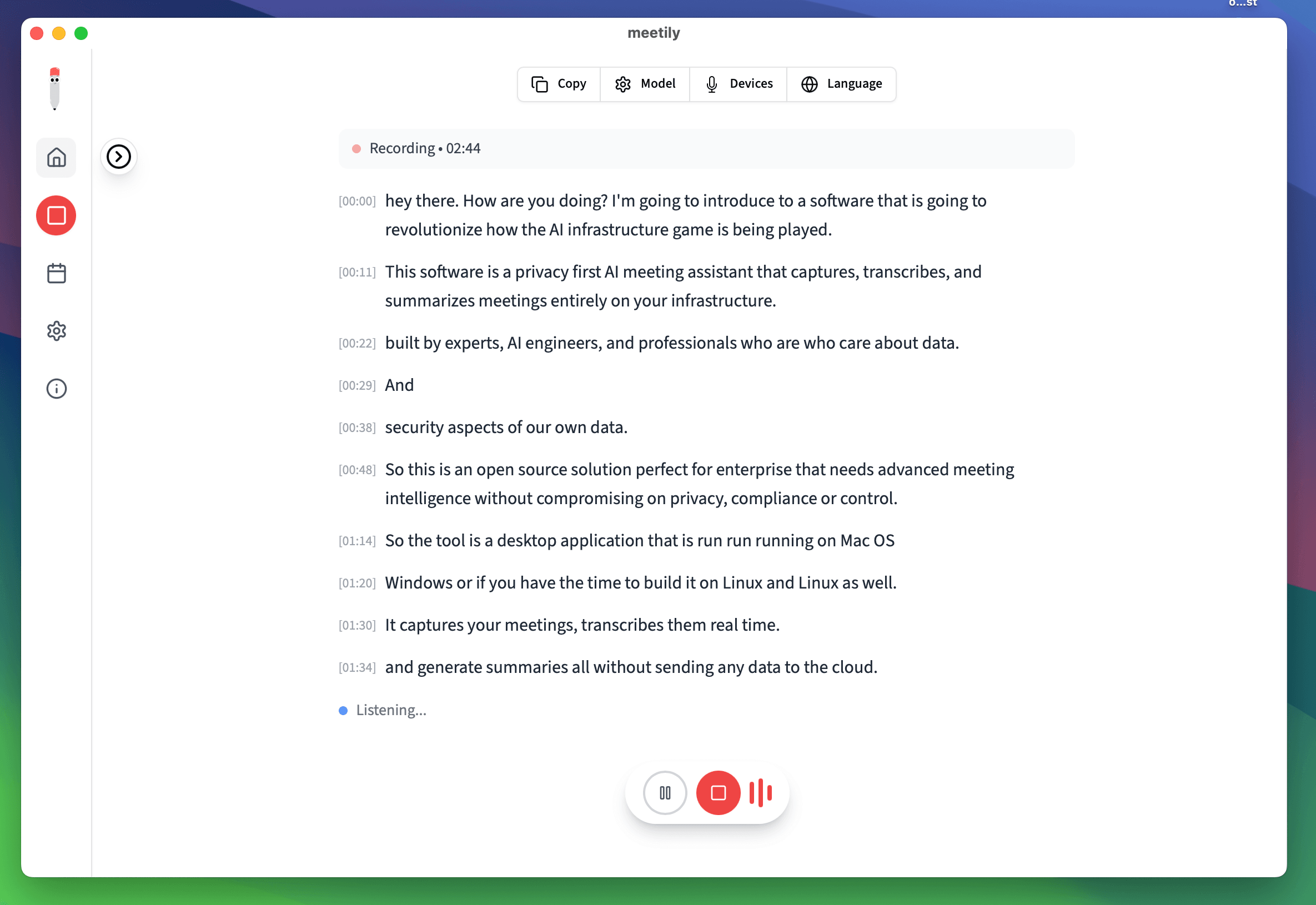
Built for the Meetings Engineering Teams Actually Have
Standups, sprint planning, incident reviews and architecture discussions, captured without a bot and transcribed on the machine that recorded them.
No Bot in the Call
Meetily records your computer's system audio, so it works with Zoom, Microsoft Teams, Google Meet, Slack Huddles, Discord and Webex. Nobody has to admit a recorder into the standup.
Transcription Stays on Your Laptop
Whisper or Parakeet runs 100% locally on Windows and macOS (Apple Silicon), so roadmap talk and unreleased architecture never reach a transcription vendor. For summaries you pick a local model or your own API key.
Who Said What, in the Shape You Need
Pro's speaker diarization labels each speaker, and custom summary templates shape the notes for a sprint planning, retro or incident review. Export to Markdown, PDF or DOCX.
Send Action Items to Jira, Linear or GitHub With Your Own Script or AI Assistant
Meetily Pro 1.11.0 added four ways for your tools to reach your meetings. Meetily has no native Jira connector and does not file tickets itself: your script or assistant does the writing, with the tracker access you already gave it.
AI Assistants over MCP
Connect Claude Desktop, Claude Code, Cursor or Windsurf in one click. The assistant can search your meetings, read transcripts and summaries, and start or stop a recording. Ask it to turn yesterday's sprint planning into issues, and if it has its own Jira, Linear or GitHub access, it can file them.
Signed Webhooks
Get an HMAC-SHA256 signed webhook when a recording ends or a summary is ready. A script on your machine verifies the signature, pulls the summary and opens GitHub issues for the action items.
The meetily-pro CLI
Bundled with Pro. meetily-pro meetings export <id> --format md writes a meeting to Markdown (txt and json also work), ready to pipe into the script that calls your tracker's API.
A Local HTTP API
The API listens only on your computer by default. Your scripts read meetings and summaries locally, and nothing goes to Jira, Linear or GitHub until your script sends it.
Off Until You Turn It On
Nothing is connected until you enable the Automation API in Settings > PRO. Each assistant gets its own permissions and each API key its own scopes. Disconnect or revoke any time.
Templates Your Script Can Parse
A custom summary template for standups or sprint planning asks for decisions, owners and action items under the same headings every time, which makes the notes easier for the script that files issues to parse.
Open Source, Built in Public
The Community Edition is MIT licensed on GitHub, so your team can read how the open source app captures and transcribes meeting audio.
How It Works
From a sprint planning call to issues in your tracker, with your own tools doing the last step
1. Record the Meeting
Start recording, or let Pro detect the meeting and start for you. Meetily captures system audio, so no bot joins the call.
2. Transcribe and Summarize
Whisper or Parakeet transcribes on your machine. The summary runs on a local model or your own API key, using a template built for standups or sprint planning.
3. Your Script or Assistant Files the Issues
A script (started by a webhook or using the meetily-pro CLI) or your AI assistant picks up the action items and creates Jira, Linear or GitHub issues with the access you gave it.
Choose Your Plan
From individual developers to enterprise teams
Try Pro for free
Full Pro access on the engineer's machine, including the MCP server, webhooks and CLI. Transcription runs locally, so meeting audio never goes to a vendor. No card required.
- Local transcription - keeps source IP and roadmap conversations on-device
- Custom summary templates (sprint planning, retros, design reviews)
- Search & replace across standup and review transcripts
- Recordings saved locally - no shared workspace by default
- Advanced exports for tickets and ADRs
Pro
Speaker identification, custom summary templates, PDF/DOCX/Markdown export, and an MCP server, webhooks and CLI for your own scripts and AI assistant.
- Real-time transcription
- AI-powered summaries
- Advanced Export Options (PDF, DOCX, Markdown)
- Recordings saved locally
- Custom summary templates
- Auto-detect and join meetings
- Connect your AI assistant and your own scripts (MCP, webhooks, CLI)
- Chat with your meetings*
- Speaker identification
- Calendar integration*
Enterprise
Best for tech organizations who value privacy and control. Self-hosted with complete data sovereignty.
- Everything in Pro
- Self-hosted deployment
- Admin dashboard
- Team management & analytics
- Custom compliance frameworks
- White-glove deployment
- Priority 24/7 support
- Custom integrations
Frequently Asked Questions
How Meetily fits standups, sprint planning and incident reviews, and how action items get to Jira, Linear or GitHub.
Related Reading for Engineering Teams
Self-hosting, open source internals, and competitor comparisons for engineering leaders.
Security & Privacy Architecture
How Meetily handles audio paths, secrets, and update integrity for engineering teams.
Open Source (MIT) on GitHub
Audit the code, fork it, or self-host the open source build of Meetily.
Best Self-Hosted Meeting Transcription Tools (2026)
Comparison of self-hosted options for teams that need to keep audio off vendor cloud.
Meetily vs Notion AI
How the two stacks differ on data residency, integrations, and meeting capture.
Record Your Next Sprint Planning Without a Bot
Try Meetily Pro free for 14 days. Transcription runs on your machine, and your own script or AI assistant takes the action items to Jira, Linear or GitHub.
✅ Free & Open Source · ✅ Local Transcription · ✅ MCP Server · ✅ Signed Webhooks
Why Choose Meetily for Enterprise?
Complete Data Sovereignty
Self-hosted deployment with 100% local processing. Your meeting data never leaves your infrastructure. Full compliance with GDPR, HIPAA, and other regulations.
You Manage, We Provide
You manage your users and deployment. We provide the software and licenses - no cloud dependency, no vendor lock-in.
Priority Support
Dedicated support team, direct access to engineers, custom integration assistance, and priority bug fixes. White-glove deployment available.
Flexible Licensing
Volume pricing, annual billing options, and custom licensing to fit your organization's needs. Scale as your team grows.
Have questions? or join our GitHub community