ChatGPT Record Mode vs Meetily: Local-First Meeting Recording (No Cloud, No Account)
ChatGPT Record Mode uploads your audio to OpenAI servers and requires a paid ChatGPT account. Meetily records and transcribes locally on your device, with no account required and a free Community Edition.
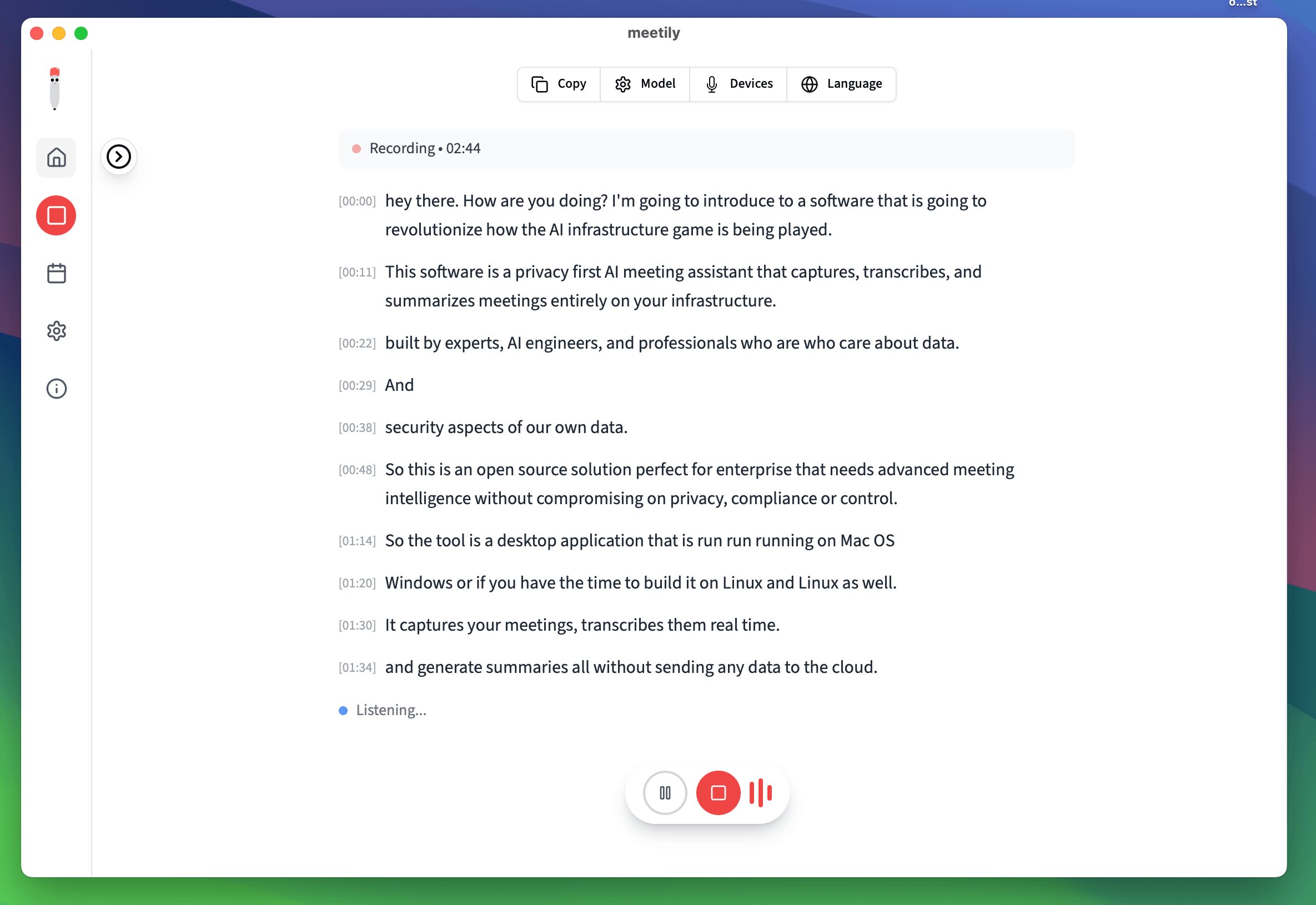
Why People Look for a Local Alternative to ChatGPT Record Mode
ChatGPT Record Mode is convenient, but every recording leaves your device. Meetily keeps the audio local.
Where Your Audio Goes: Local vs Cloud
The core difference is architectural. ChatGPT Record Mode sends audio to OpenAI. Meetily keeps it on your machine.
Meetily: Local-First
ChatGPT Record Mode: Cloud-Bound
| Feature | Meetily | ChatGPT Record Mode |
|---|---|---|
| Where audio is processed | On device (local) | OpenAI servers |
| Account required | None | ChatGPT Plus and up |
| Pricing | Free Community / $10/user/month billed annually (Pro) | $20/month (Plus) and up |
| Works offline | Yes | No |
| Source available | Open source (MIT) | Proprietary |
| Summary model choice | Local or BYOK | OpenAI only |
| Languages | 99+ | Broad (cloud Whisper) |
| Platforms | Windows & macOS | ChatGPT apps |
| Transcription accuracy | High accuracy (local Whisper / Parakeet) | High accuracy (OpenAI Whisper) |
What ChatGPT Record Mode Does Well, and Where Meetily Differs
Both tools transcribe and summarize meetings. The honest difference is where your data lives and what you have to pay (and sign up) for to get there.
ChatGPT Record Mode: Great if you already pay for ChatGPT
If you already have ChatGPT Plus / Team and you're fine with OpenAI processing your audio, Record Mode is genuinely convenient - one app, one subscription, summaries live in your chat history. The tradeoff is that every recording goes to OpenAI.
Meetily: Audio never leaves your device
Meetily transcribes locally on Windows and macOS using on-device Whisper or Parakeet models. With the Community Edition, nothing leaves your machine - no audio, no transcript, no account. Pricing: free Community Edition, or $10/user/month billed annually for Pro.
You choose the summary model
ChatGPT Record Mode is tied to OpenAI models. Meetily lets you pick: local Ollama / built-in model for full privacy or bring-your-own key (Claude, OpenAI, Groq). The model that suits your privacy and quality needs - not the vendor's.
Works offline
ChatGPT Record Mode needs an internet connection to upload audio. Meetily Community runs entirely offline once installed, so it works on flights, in secure rooms, and on flaky hotel wifi.
99+ languages, on device
Meetily ships with local Whisper / Parakeet models that handle 99+ languages without sending audio off-device. ChatGPT Record Mode also supports broad language coverage, but transcription happens in the cloud.
No account, no lock-in
You can install Meetily, record a meeting, and never create an account. ChatGPT Record Mode requires an active ChatGPT Plus subscription tied to your OpenAI account. If you cancel, you lose access to the recording flow.
How to Use Meetily as a Local-First Alternative
Keep your ChatGPT subscription if you want - Meetily slots in next to it for the recording itself.
1. Install Meetily (free Community Edition)
Download Meetily for Windows or macOS. No account, no signup. The Community Edition is free and transcribes 100% locally on your machine.
2. Record meetings on device
Meetily captures system audio directly, with no meeting bot. Audio and the resulting transcript stay on your machine. Use any meeting platform - Zoom, Meet, Teams, WebEx.
3. Summarize how you want
Pick a summary path: local Ollama / built-in model (nothing leaves) or bring-your-own key (including OpenAI / ChatGPT). With BYOK, only transcript text is sent off-device - never audio.
ChatGPT Record Mode vs Meetily: FAQ
Keep Your Audio Local
Free Community Edition, no account required. Or upgrade to Pro for $10/user/month billed annually.
✅ Local-First Recording · ✅ Free Community Edition · ✅ No Account Required · ✅ Open Source
Why Choose Meetily Pro?
Privacy-First Architecture
Transcription runs 100% locally; recordings and audio never leave your device. For summaries, you choose your provider: local AI or your own API key. Compliant by design with GDPR and HIPAA workflows.
Advanced AI Features
Real-time transcription, speaker identification, action item extraction, meeting summaries, and custom AI workflows.
Priority Support
Dedicated support team, direct access to engineers, custom integration assistance, and priority bug fixes.
Flexible Deployment
On-Device deployment. Local file access for custom integrations and workflows.
Have questions? or join our GitHub community