Release Highlights
LatestMeetily for iPhone 1.0.0 is the first App Store version. It records a meeting and writes the transcript, with speaker labels, on your iPhone. It is free, needs iOS 26 or later, and has no account, no analytics, no ads and no tracking.
Not available in the China mainland.
Table of Contents
What's New in Meetily for iPhone 1.0.0
Meetily for iPhone 1.0.0, released on November 23, 2026, is the first version on the App Store. It records your meetings and writes the transcript on your iPhone, with speaker labels, search across every meeting and ten languages. It is for people who take meetings in person, on a call or on the move and want the transcript without a bot joining the call or an account to sign up for.
The app is free. It runs on iPhone only, needs iOS 26 or later, and is not available in the China mainland.
Get Meetily for iPhone on the App Store(opens in new tab)
If you joined the TestFlight beta, this is the same app, released publicly. Read more on the Meetily for iPhone page.
Record a Meeting
Tap the big red button to start. Meetily keeps recording when you lock the phone or switch to another app. A live level meter shows that it is listening, and live text can follow the words as people speak. Live text only appears if you chose it during setup.
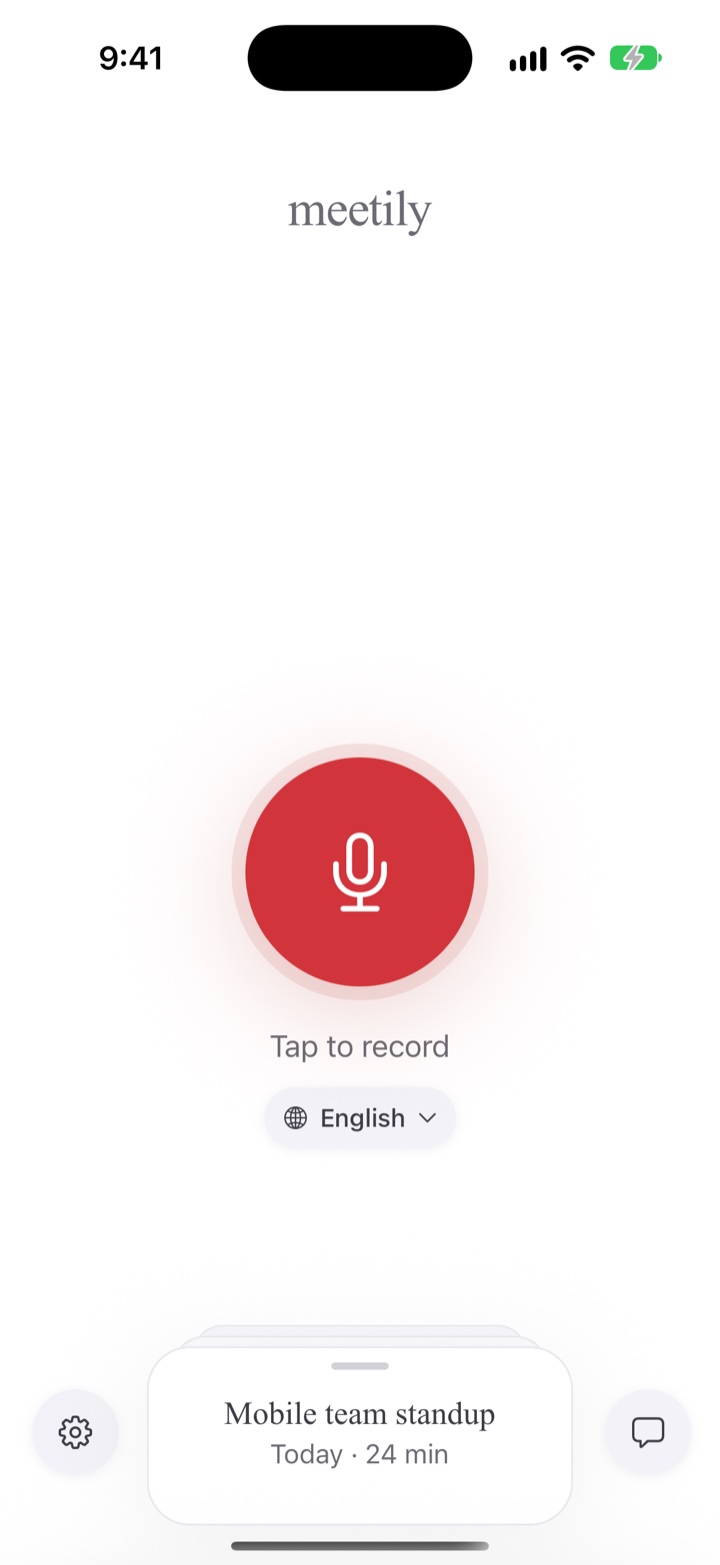
You can pause a recording, discard it, rename it, and set the start and stop sounds in Settings. Pausing keeps the paused time out of the file.
Please tell the people in your meeting that you are recording.
Read the Transcript, With Speakers
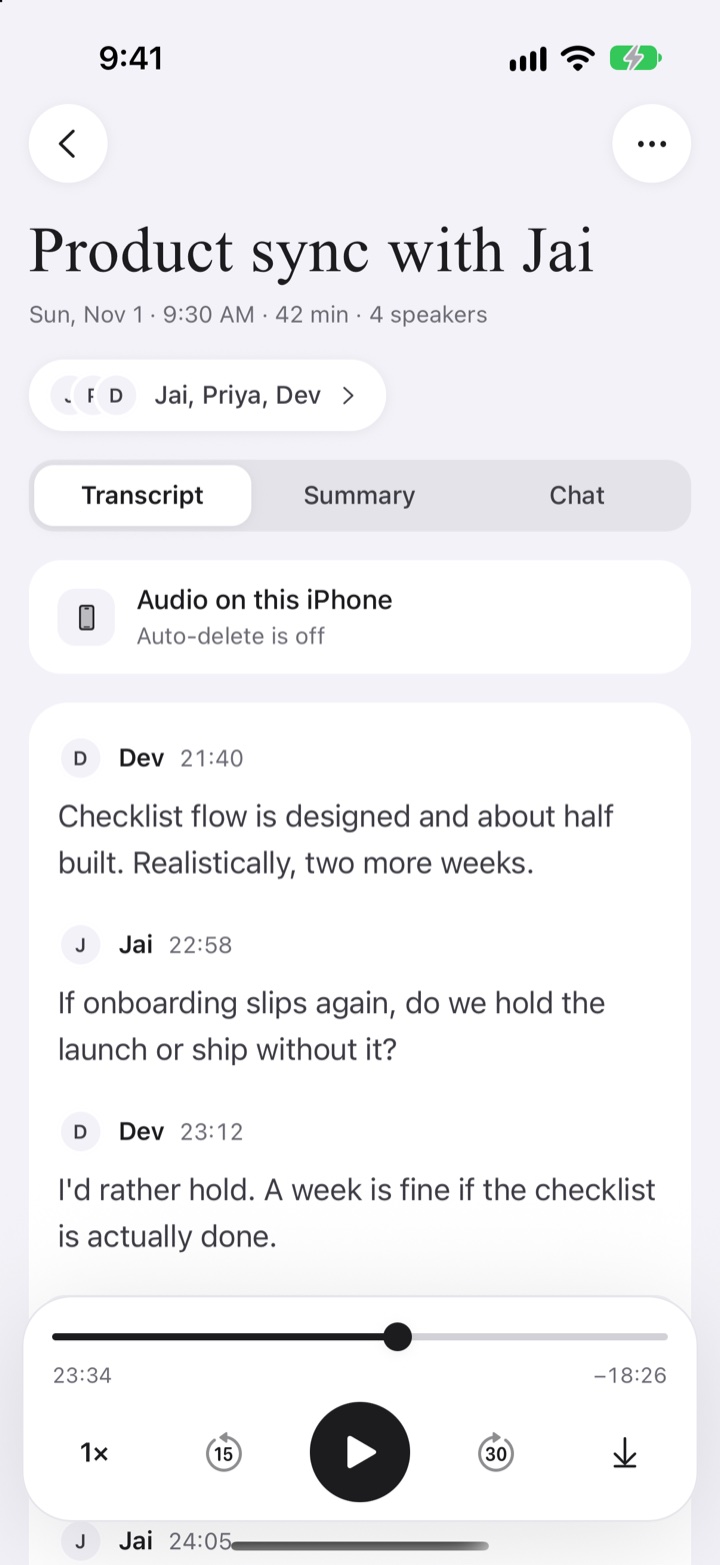
Each transcript has speaker labels. Name the people who spoke, or ask Meetily to recount how many there were. Play the audio from the same screen.
Find Any Moment
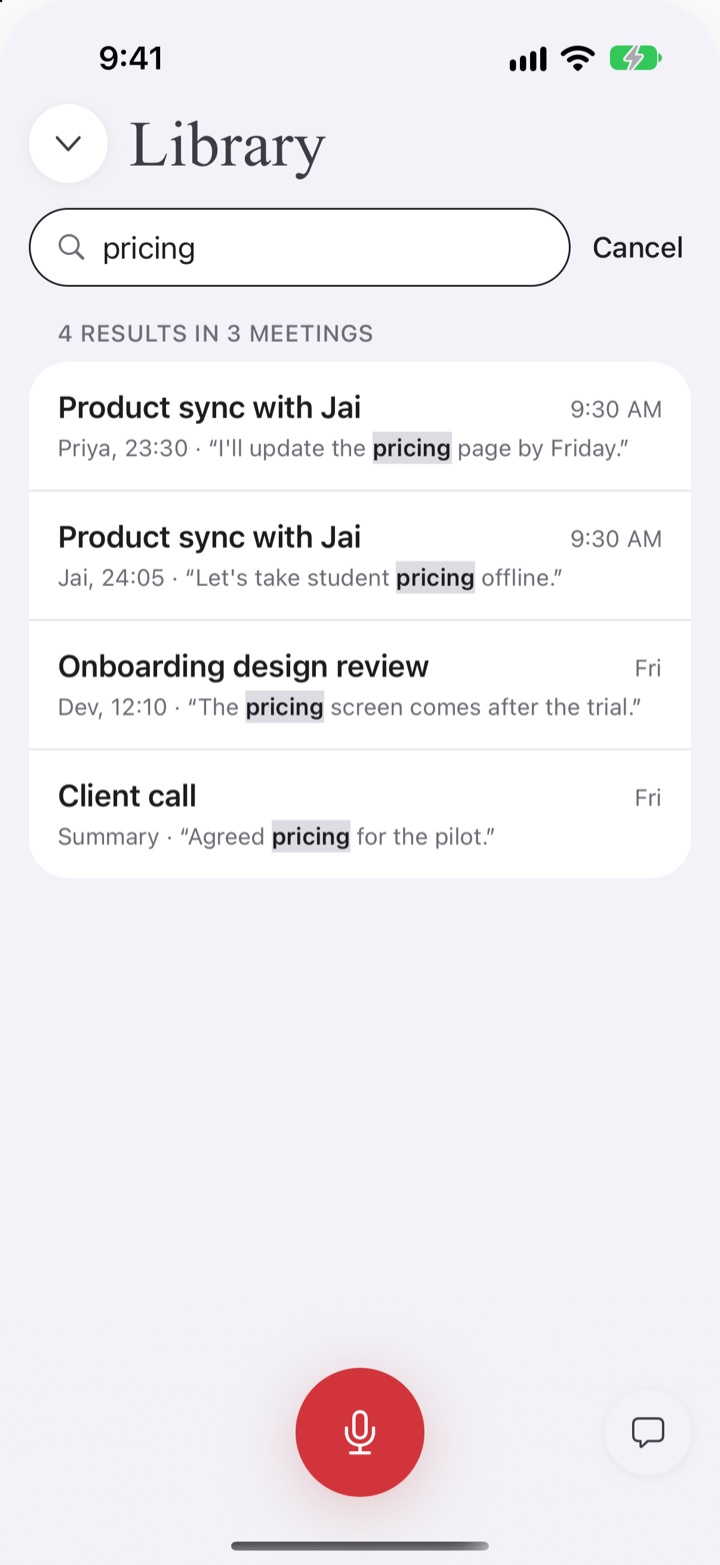
Search across all your meetings by name, word or phrase, and jump straight to the moment it was said. Search also covers summaries, if you have turned summaries on.
Ten Languages
Meetily works in English, German, French, Spanish, Italian, Portuguese, Dutch, Japanese, Korean and Chinese. Pick yours when you set up, and change it for any recording.
Summaries, Only If You Want Them
Meetily is a transcript app first. Summaries and chat stay off until you turn them on in Settings. After that you have two ways to get a summary:
- Your own AI provider. Add your own API key for OpenAI, Anthropic, Gemini or OpenRouter, or point Meetily at your own server. Meetily checks the connection before it saves.
- Your computer. Pair the app with Meetily Pro on your computer by scanning the QR code on its screen or entering the 6-digit code. After you press Stop, the phone sends the meeting to your computer over your local network, encrypted: the transcript with the meeting's title, time, language and speaker names. If the meeting has no transcript and no speech model is on your iPhone, or if you tap to send a meeting whose transcript failed, it sends the meeting's audio instead. The summary comes back to the phone as a new version.
Pairing needs Meetily Pro 1.12 or later on your computer. Meetily Pro 1.12 is rolling out; existing Pro users get it as an update.
No meeting data is sent until you set one of these up. When you do, the transcript text goes to the provider you chose, or the meeting goes to your computer as described above, so choose one you trust.
Privacy
There is no account and no sign-in. There is no analytics, no ads and no tracking. No bot joins your call. Your audio and transcripts stay on the phone unless you turn on summaries and choose where they go.
The speech models download once and then work on the phone. Downloads work on mobile data, and the app says so before it starts. Settings has a Wi-Fi only switch.
Read the full details on the iPhone privacy page.
Made to Fit
Meetily follows your phone with Automatic, Light and Dark looks. You can choose serif or plain titles, and it supports larger text sizes. Swipe from the left edge to go back.
Known Issues
We would rather you hear these from us.
- One voice shown as two. In short recordings, one person can appear as two speakers. Rename the labels in the Speakers sheet.
- Speaker names can move. After you run Improve or Re-check speakers, a speaker's name can move to a different voice. No words are lost. Rename the speaker to fix it.
- Closing the app right after Stop. If you close Meetily soon after you press Stop, it can show "A recording was cut off" and the last seconds of live text can be missing. The audio is kept. Open the meeting and tap Transcribe.
- Some Meetily Pro changes do not show yet. If you edit or delete a meeting on your computer, the change may not appear on the phone yet.
- Largest text size. At the very largest text sizes, some bottom tab labels can be clipped.
To report a problem, go to Settings > Help > Send a support report. You can also read the support page.
Get the App
Open the App Store listing(opens in new tab) on your iPhone and tap Get. The app is free. If you want a walkthrough first, read how to record a meeting on iPhone.
If you use Meetily on a computer, the desktop releases are listed on the release notes page.
Frequently Asked Questions
Not available in the China mainland.